Event-driven cloud flows
Start workflows when supported business events occur. Define trigger conditions carefully so a record update does not create duplicate work or an unintended chain of repeated actions.
 MICROSOFT POWER PLATFORM
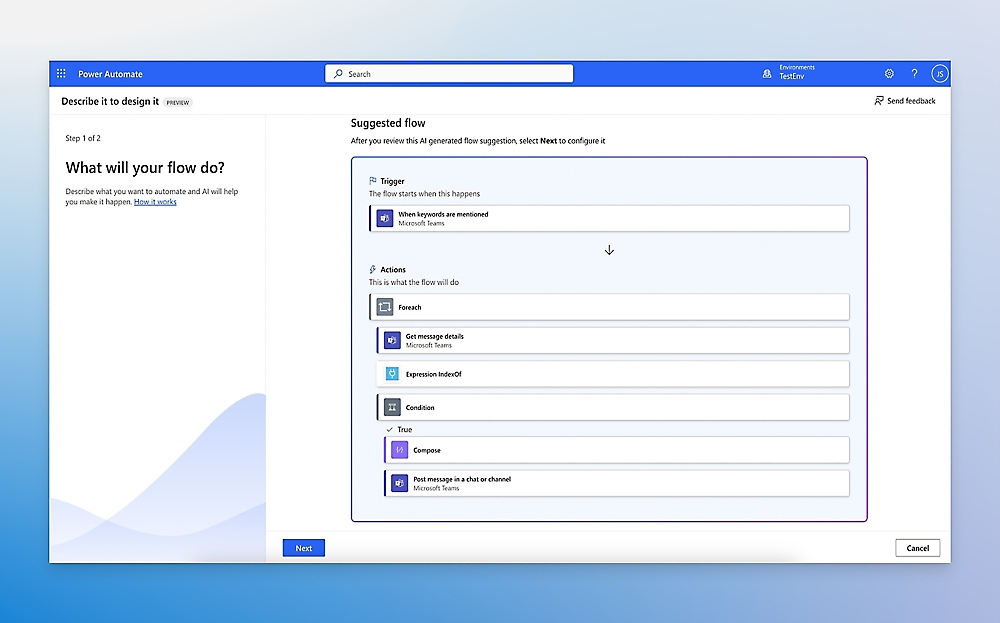
Connect the steps between people, applications and decisions. Microsoft Power Automate helps your organization handle repeatable tasks and approvals with clearer ownership, while keeping exceptions visible to the people who need to act.
 Explore the product view ↗
Microsoft product imagery. Interface and features vary by configuration.
Different businesses. Different ways of working. A shared need for technology that supports real operations.









For organizations spending time on repeated data entry, follow-ups and system handoffs. Tripearltech assesses where automation fits, how it should fail safely and what needs human judgment before building the flow.
Start workflows when supported business events occur. Define trigger conditions carefully so a record update does not create duplicate work or an unintended chain of repeated actions.
Run planned tasks or let users start an approved process when needed. Agree ownership, input validation and the feedback users receive when execution takes longer than expected.
Coordinate review and approval with clear status and responsibility. Design rejection, reassignment, timeout and escalation behavior instead of treating an approval request as a complete business control.
Connect supported Microsoft and third-party services using suitable connectors or APIs. Validate premium requirements, permissions, throttling and the behavior of the underlying systems.
Automate suitable desktop or browser interactions where an API approach is unavailable or unsuitable. Assess interface stability, machine requirements and maintenance effort before selecting robotic process automation.
Choose whether a person starts and supervises desktop work or whether it runs under an approved unattended model. Licensing, machine capacity and identity arrangements differ and require explicit assessment.
Evaluate supported document extraction and AI-assisted tasks for a defined document set. Test confidence, exceptions and human review; additional AI capacity or services may be required.
Assess process and task mining where suitable event data and permissions are available. Use findings to improve the process before automating unnecessary steps or existing confusion.
Build run visibility, alerts and controlled recovery into the design. Decide what happens after a partial success so a retry does not repeat a payment, approval or other important action.
Cloud automation, premium connectors, attended RPA, unattended execution, hosted machines, process mining and AI capacity have different licensing considerations. We estimate the appropriate model from users, processes, volumes and operating requirements.
Microsoft product overview ↗Connect Microsoft Power Automate to the applications your people rely on. Define the business handoff, data ownership and permissions before adding another integration.

Connect user requests and business forms to a workflow, with clear application status and a route for resolving failed actions.

Support defined portal submissions and downstream processing while preserving identity and record-level permission boundaries.

Use structured business records and events as part of the automation design, with controlled connections and ownership.

Assess approved ERP workflow and integration scenarios without bypassing business validation or financial posting controls.

Support agreed lead handoffs, notifications and follow-up processes while avoiding duplicate activities and uncontrolled customer messages.

Expose carefully scoped actions to an agent where appropriate, with authorization, monitoring and human approval for consequential decisions.
Microsoft 365 services such as Outlook, Teams and SharePoint often form part of an automation. Azure services and custom connectors can address more complex integration needs. A connector being available does not remove service limits, licensing or the need for a support owner.
Explore Microsoft’s product details ↗Tripearltech provides Microsoft Power Automate consulting, implementation and support from Ahmedabad, India, for businesses worldwide. Each engagement starts with your operating needs and a clear division of responsibility.
Map repeated tasks, volume, exceptions and business impact. Compare process improvement, API integration and RPA before choosing a technically possible but expensive-to-maintain approach.
Build event-driven, scheduled and user-started flows around agreed rules. Include validation, ownership and handling for rejected, missing or inconsistent inputs.
Design attended or unattended automation for suitable applications. Validate machine setup, credentials, interface changes and recovery under realistic operating conditions.
Connect requests, documents and decisions with explicit status and review responsibilities. Test variations and exceptions before assuming one sample document represents the whole process.
Review existing automations for fragile connections, repeated actions, excessive access and missing owners. Establish environments, data policies and deployment practices suited to the organization.
Maintain critical flows, investigate failures and review changes in connected applications. Track useful business outcomes and adjust the process when exception rates or volumes change.
The value of Microsoft Power Automate depends on the process it improves. Explore common industry needs and the implementation decisions that help the solution fit.
Quality exceptions and operational approvals wait in individual inboxes.
Structure the request, supporting evidence and responsible reviewer, then automate notifications and routing. Keep the final decision and the operational system update under agreed controls.
Teams repeatedly transfer order and supplier information between systems.
Assess supported APIs first and define validation and duplicate handling. Use automation for repeatable steps while routing ambiguous records to the person who can resolve them.
Invoice preparation and approval involve repeated entry and uncertain status.
Design document intake, checks and review around actual variations. Retain human decisions where needed and validate reconciliation before automating downstream financial actions.
Document reviews and change requests stall when the assigned person is unavailable.
Define ownership, escalation and reassignment before automating reminders. Make status visible and ensure a technical workflow cannot approve a commercial change without authority.
Joiner and leaver tasks are spread across HR, IT and departmental lists.
Coordinate agreed tasks with accountable owners and completion evidence. Sensitive access changes need explicit authorization and controlled integration, not just an email trigger.
Recurring reminders, report preparation and internal requests consume staff time.
Identify stable, repeatable activities and set realistic exception handling. Start with a measured process so saved effort and ongoing maintenance can be compared.
Explore the Microsoft credential references relevant to this solution and its supporting implementation disciplines.
Automation requires more than a successful flow run. The retired RPA credential is shown as a historical reference; Power Platform development is a related technical discipline. Assess current individual records and practical automation experience for the proposed team.
Discuss your project team ↗ Exam PL-500
Retired · Historical RPA credential reference
View official credential ↗Exam PL-400Related platform development
View official credential ↗Official Microsoft credential references, checked September 2026. These badges identify certification disciplines, not individual employee records. Related and retired credentials are labeled. Ask us about the verified credentials and practical experience of the specialists proposed for your engagement.
Before automating the next task, agree the rules and the exceptions. Use this guide to prepare process ownership, connections, identities and recovery.
Bring the right people and questions to your first implementation workshop.
Our Microsoft Power Automate delivery approach makes design decisions, acceptance and readiness visible. The people who own the process stay involved from discovery through support.
Map the process, repetition, exceptions and current effort before selecting automation candidates.
Gate: use case and business ownership agreedDefine triggers, actions, identities, approvals and safe recovery for partial execution.
Gate: workflow and exception design acceptedDevelop the automation and test duplicate events, failed connections, timeouts and realistic volumes.
Gate: normal and failure scenarios verifiedPrepare users, operational alerts and support routes; pilot before expanding critical automation.
Gate: execution and support readiness approvedReview failures, application changes and business value while keeping ownership and documentation current.
Gate: operating responsibility and review cadence acceptedUnderstand the solution, its boundaries and how Tripearltech can support your implementation.
Let’s talk about your business ↗It is a platform for automating workflows across supported services and applications. Cloud flows connect events and actions; desktop flows can automate suitable user-interface tasks. Tripearltech assesses the process and exceptions before deciding which approach fits.
Cloud flows generally use connectors and service interfaces. Desktop RPA interacts with desktop or browser applications and can depend on machine state and interface stability. We prefer the approach that is supportable for the process, rather than using RPA for every integration.
Yes, approval experiences can be part of a workflow. The business must still define authority, rejection, reassignment, timeout and escalation rules. We also agree how the source record reflects the decision and who can resolve an interrupted process.
Attended automation runs with user involvement, while unattended scenarios are designed to execute without an active supervising user. They have different licensing, machine and identity requirements. The right choice depends on the process and operating model.
Not every connector or automation scenario is covered by Microsoft 365 use rights. Premium connectors, unattended execution, hosted machines and other capabilities may need additional licenses or capacity. We assess current terms against actual users and processes.
Recovery must be designed, not assumed. We identify completed actions, safe retries, escalation and the information users need. For consequential steps, duplicate prevention and reconciliation are important so restarting a flow does not repeat the business action.
Supported document and AI capabilities can assist, but document variation, extraction quality and review requirements need testing. We define which results require human attention and assess additional service capacity before connecting the output to business transactions.
No. Someone must own the rules, exceptions and business outcome, and someone must support the technical operation. Automation reduces selected repetitive work; it does not decide who has authority or how unusual situations should be resolved.
Microsoft has retired the Power Automate RPA Developer Associate certification and its renewal assessment. It is clearly labeled as a historical reference here. Ask about relevant current credentials and practical delivery experience when evaluating project specialists.
Yes. Tripearltech offers automation assessment, cloud flow development, RPA implementation, approval design, governance, audits and support from Ahmedabad, India. Global engagements are scoped around process volumes, connected systems and operating responsibilities.