Microsoft 365 E3
Productivity applications, enterprise identity, device management and protection for a managed workforce.


 MICROSOFT CLOUD & AI
Connect productivity, identity and information management across your organization. Tripearltech helps you compare Microsoft 365 Enterprise plans and build a rollout that respects the needs of departments, locations, administrators and the people doing the work.
 View image at full size ↗
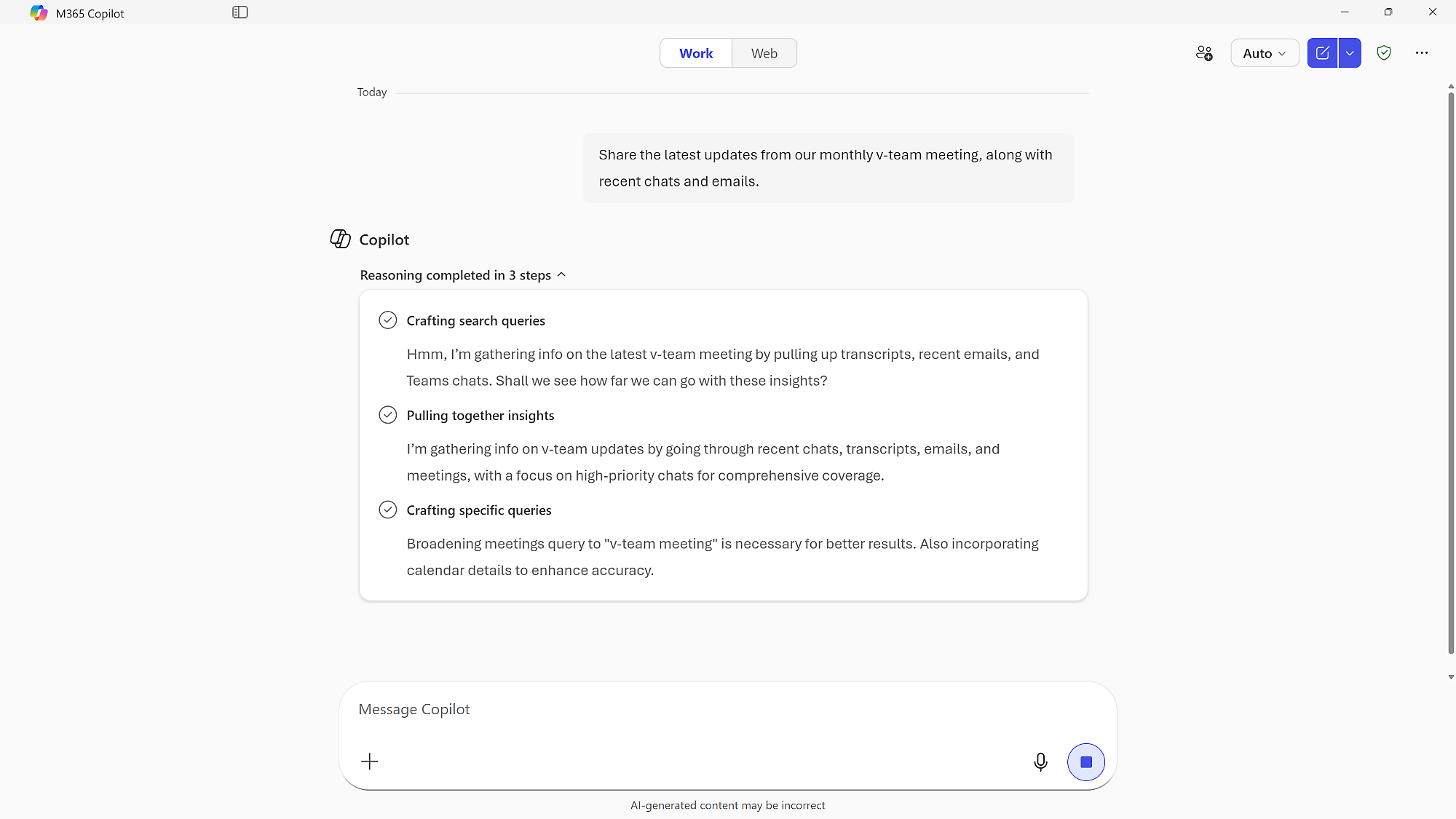
Microsoft 365 Copilot working across meeting transcripts, chats, and email in the enterprise. Shown capabilities depend on licensing and configuration.
Different businesses. Different ways of working. A shared need for technology that supports real operations.









E3, E5 and E7 address different enterprise needs. Frontline, apps-only and Office 365 alternatives are explained below. Select plans by working role and required controls rather than assuming the largest bundle is right for everyone.
Productivity applications, enterprise identity, device management and protection for a managed workforce.
Extends the foundation with advanced security and compliance, Power BI Pro and Teams Phone capabilities where applicable.
Combines the E5 foundation with a broader Microsoft Copilot and agent-management offering, including Agent 365 and expanded identity capabilities.
| At a glance | Microsoft 365 E3 | Microsoft 365 E5 | Microsoft 365 E7 |
|---|---|---|---|
| Desktop productivity apps | Included | Included | Included |
| Enterprise identity & device management | Included | Included; expanded controls | Included; expanded controls |
| Security & compliance scope | Enterprise foundation | Advanced capabilities | E5 foundation plus broader bundle |
| Power BI Pro | Separate entitlement | Included | Included |
| Full paid work-grounded Copilot | Separate entitlement | Separate entitlement | Included in suite offering |
| Agent 365 control plane | Separate assessment | Separate assessment | Included in suite offering |
| Teams availability | With / without Teams variants | With / without Teams variants | With / without Teams variants |
On smaller screens, swipe or scroll the table to compare every plan. Exact service limits and entitlements follow the purchased SKU.
Frontline collaboration and access for eligible workers. It has restricted app and email rights; assess those limits before assigning it to a role that needs a full mailbox or desktop productivity.
A broader frontline option with web and mobile productivity and workplace management capabilities. Frontline eligibility, storage and device-use terms still apply.
Installed productivity applications for organizations that need an apps-focused subscription. It is not the same bundle as Microsoft 365 E3, E5 or E7.
A separate web-first productivity and collaboration suite. It does not provide the same Windows and enterprise management package as Microsoft 365 enterprise suites.
Separate productivity-oriented enterprise options with different service levels. Compare them explicitly when Windows, identity or endpoint services are already licensed elsewhere.
Confirm with-Teams or no-Teams SKU, calling arrangements, Copilot and any additional security services. Education, government and nonprofit offers have separate eligibility and terms.
Official Microsoft references: Enterprise comparison ↗ · Plan families and options ↗ · Frontline plans ↗
Large environments need more than a common set of applications. They need a workable approach to access, device management, information ownership and change. We help translate those operating requirements into a Microsoft 365 design.
Plan desktop, browser and mobile application use across varied roles. Test business-critical files and add-ins before broad deployment, especially where departments depend on established document processes.
Design email, Teams and shared workspaces around organizational responsibilities. A clear service owner and escalation route matter as much as the initial configuration.
Align user identities and administrator privileges with responsibilities. Establish controlled access changes and review exceptional permissions rather than relying on informal administrator accounts.
Assess device enrollment, configuration and application delivery against the workforce. Pilot policies with representative users so the security model remains practical across locations and device types.
Map sensitive information to ownership and handling requirements. Select the relevant licensed controls, then test their effect on collaboration and external sharing.
Review the security services in the selected plan and define who investigates alerts. Advanced tools require an operating model, escalation rules and people responsible for response.
Agree record categories, retention needs and investigation responsibilities with the appropriate business owners. Technology supports these decisions; configuration alone does not establish compliance.
Assess reporting and telephony requirements separately when comparing plans. Confirm Power BI entitlements, Teams variants, calling connectivity and regional availability before quoting the complete solution.
Compare E3, E5 and E7 against your AI requirements. Establish ownership for agents, work information and consumption before expanding access across the organization.
Microsoft 365 Enterprise suites differ from Office 365 Enterprise. E3, E5 and E7 are the main enterprise suites shown here; F1 and F3 address eligible frontline roles. Apps for enterprise and Office 365 E1/E3/E5 are separate alternatives, not equivalent security and Windows bundles.
Microsoft product overview ↗Connect Microsoft 365 Enterprise to the applications your people rely on. Define the business handoff, data ownership and permissions before adding another integration.
Coordinate applications, collaboration and administration within a documented tenant design. License user groups according to their working and control requirements.

Connect cloud infrastructure and identity dependencies to the workplace design. Keep infrastructure cost, network ownership and operational support visible.

Plan enterprise report consumption and authoring with clear license assignments. Govern workspaces and data access independently of document sharing.

Automate defined handoffs without bypassing the organization’s access and approval policies. Assess premium features and service account ownership.

Introduce workplace AI with content access reviews, practical role-based training and an agreed way to assess value.

Set standards for agent knowledge, actions and deployment. Agree who approves publication and who owns the agent after its original creator changes roles.
A global rollout may involve identity coexistence, acquisitions, external collaborators and locally managed devices. We document these dependencies early, including which team owns each decision and what a successful handover looks like.
Explore Microsoft’s product details ↗Tripearltech provides Microsoft 365 Enterprise consulting, implementation and support from Ahmedabad, India, for businesses worldwide. Each engagement starts with your operating needs and a clear division of responsibility.
Compare E3, E5, E7, frontline and apps-only requirements by persona. Identify overlapping subscriptions and controls that the organization intends to operate.
Define administration boundaries, collaboration standards and naming conventions. Document how business units request new workspaces and how exceptions are approved.
Assess current tenants, identity sources and content ownership before planning waves. Rehearse high-impact transitions and verify access as well as record counts.
Coordinate the selected controls with internal IT and security teams. Pilot changes, record dependencies and avoid applying policies without a support plan.
Review sharing, content quality and ownership before wider AI adoption. Agree the handling of sensitive information and the process for approving agents.
Prepare administrators and champions for steady-state operations. Define service boundaries, incident escalation, periodic access reviews and a manageable improvement backlog.
The value of Microsoft 365 Enterprise depends on the process it improves. Explore common industry needs and the implementation decisions that help the solution fit.
Business units operate with different identity and collaboration practices.
Agree which decisions are central and which remain local. Plan a common access and workspace baseline while documenting justified exceptions.
Office teams and plant-based staff have different devices and collaboration needs.
Assess enterprise and eligible frontline roles separately. Test shared-device access, connectivity and operational handovers before standardizing subscriptions.
Sensitive client records are shared across changing project teams.
Define project membership, guest access and information ownership. Test the control model with real project scenarios and an agreed closure process.
Large numbers of distributed staff need communication without unnecessary licenses.
Map roles to required services and eligible frontline plans. Design onboarding and offboarding that local managers can follow consistently.
Specialist software, desktop add-ins and complex documents complicate migration.
Pilot critical workflows and define supported application versions. Record dependencies before changing identity, endpoint or collaboration policies.
Rapid expansion leaves inconsistent administration and unclear security responsibility.
Create service ownership and a documented control baseline. Stage rollout by business impact and confirm which team responds when a control raises an alert.
Explore the Microsoft credential references relevant to this solution and its supporting implementation disciplines.
Enterprise delivery needs coordination across administration, identity, security and change management. Credential references are one part of assessing a team; project responsibilities and evidence of relevant experience matter too.
Discuss your project team ↗ Exam MS-102
Expert credential · Prerequisite certification required · Retires 30 November 2026
View official credential ↗ Exam SC-300
Identity and access administration
View official credential ↗Official Microsoft credential references, checked September 2026. These badges identify certification disciplines, not individual employee records. Related and retired credentials are labeled. Ask us about the verified credentials and practical experience of the specialists proposed for your engagement.
Prepare an enterprise Microsoft 365 rollout with clear decisions about licensing, identities, information and the people who will run the service after launch.
Bring the right people and questions to your first implementation workshop.
Our Microsoft 365 Enterprise delivery approach makes design decisions, acceptance and readiness visible. The people who own the process stay involved from discovery through support.
Map workforce personas, current tenants and operational constraints.
Accepted priorities and service boundaries.Agree identity, information and administration design with responsible teams.
Signed design decisions and exceptions.Validate critical applications, policies and collaboration with real users.
Evidence that controls and workflows coexist.Deploy in business-aligned waves with communications and support.
Wave acceptance and operational handover.Review access, incidents, licenses and changing requirements.
Service reviews and an approved backlog.Understand the solution, its boundaries and how Tripearltech can support your implementation.
Let’s talk about your business ↗E3 provides the enterprise productivity and management foundation. E5 adds broader security, compliance, analytics and voice capabilities. E7 extends that foundation with a broader Copilot and agent-governance offering. Confirm the current SKU and service terms for your market.
Office 365 E1 is a separate productivity plan. It should not be confused with Microsoft 365 E3, E5 or E7, which combine a broader set of enterprise services.
Not necessarily. Licensing should reflect the applications, security controls and working conditions of each role. Any mixed-plan design must account for controls that require individual user entitlements.
They are frontline-oriented subscriptions with specific eligibility and service limitations. They are not general replacements for office-worker plans; assess device patterns, app rights and mailbox needs carefully.
No. With-Teams and no-Teams offers differ, and a phone-system capability is not the same as a complete calling arrangement. Confirm Teams licensing, numbers, connectivity and regional terms.
Do not assume the full work-grounded Copilot subscription from an E3 or E5 license alone. E7 includes a broader AI bundle. Available chat experiences and agent consumption still need an entitlement review.
Yes. We start by clarifying tenant boundaries, identity ownership, local constraints and the roles of internal IT teams. The scope then defines rollout waves and responsibilities across locations.
No. Compliance depends on your obligations, policies, configuration and operating practices. Relevant stakeholders must define requirements and maintain the controls after deployment.
A transition can be planned around growth and control requirements. Review licenses, identities, policies and application dependencies before changing assignments or rolling out additional controls.
Tenant complexity, migration volumes, identity integration, policy requirements, locations and adoption needs all affect effort. Tripearltech provides a scoped proposal after discovery rather than estimating from user count alone.
Enterprise comparison ↗ · Plan families and options ↗ · Frontline plans ↗